
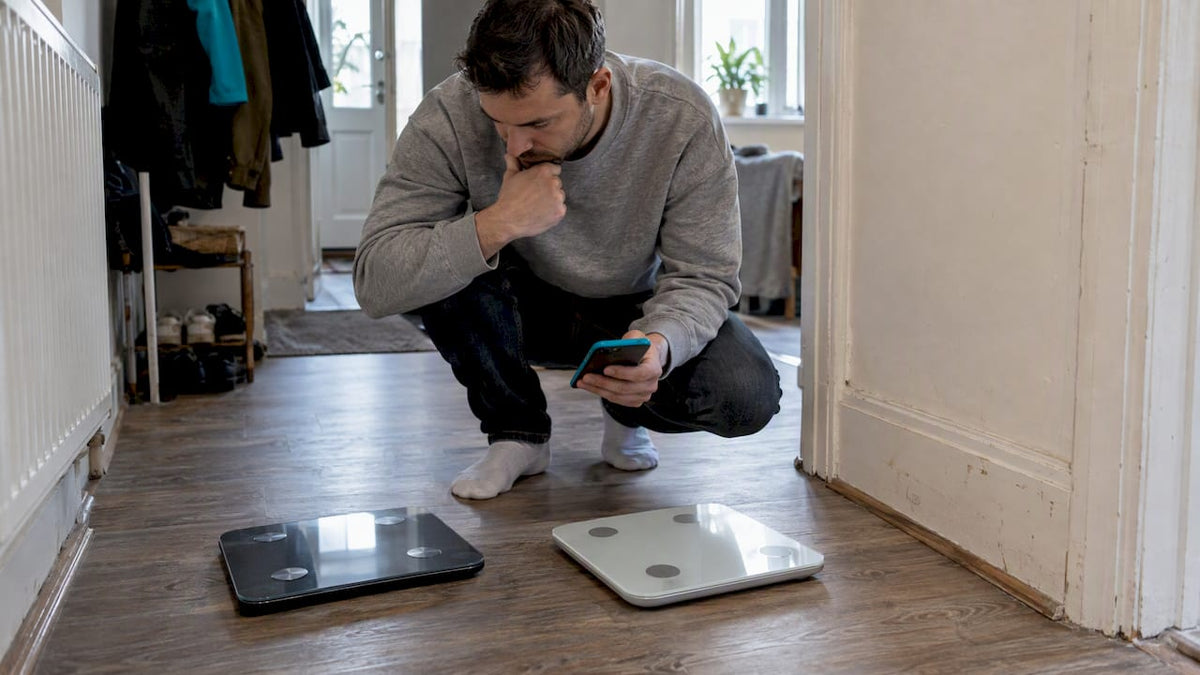
If you weigh in daily and want every reading to land in your phone without lifting a finger, choose Wi-Fi. If you weigh in occasionally and want a cheaper scale with fewer setup steps, Bluetooth does the job just as well. Either way, the biggest factor in how useful your numbers are is not the radio inside the scale: it is your measurement routine and the quality of the app reading it.
TL;DR:
- Wi-Fi scales offer more reliable and automatic data syncing to cloud storage, making trend tracking easier for daily users living alone.
- Bluetooth scales are simpler to set up and better suited for occasional weighers who have their phone nearby and do not mind manual syncing.
- Bioelectrical impedance accuracy relies more on measurement routine and consistency than on radio type, with multi-frequency BIA providing more reliable change tracking.
- Proper protocol, such as weighing at the same time daily and avoiding recent exercise or salty meals, improves the accuracy of body composition readings.
- Data security considerations, including export options and privacy policies, are essential for long-term use, regardless of the connectivity method chosen.
Table of Contents
- How Wi-Fi and Bluetooth actually transfer your weighings
- Why accuracy depends on your body, not your radio
- Setting up your scale and fixing sync problems
- How each connection handles multiple people in one home
- Battery life, recharging and what your data touches
- A simple way to choose the right scale for you
- How we approach connectivity and long-term tracking
- Futureproofing your choice: what buyers tend to get wrong
- Why our subscription-free scales fit this trade-off
- FAQ
- Sources
How Wi-Fi and Bluetooth actually transfer your weighings
Bluetooth Low Energy is a short-range, point-to-point radio built for small, infrequent bursts of data rather than constant connections. According to the Bluetooth technology overview, Bluetooth LE supports several topology options, including point-to-point and broadcast, but these are optimised for low power rather than continuous background uploads. In practice, that means your scale talks directly to your phone, and only when your phone is close enough and the app is open or running in the background.
Wi-Fi works differently. The scale joins your home network the same way a laptop or smart speaker does, then pushes each reading straight to the manufacturer’s cloud. Your phone does not need to be anywhere near the bathroom: it just pulls the data down whenever you open the app, wherever you are. Reviewer testing from PCMag found Wi-Fi syncing more convenient and generally more reliable for this reason, while Bluetooth sometimes fails to sync a weigh-in if your phone was out of range at the time, though many scales buffer the reading and send it once a connection is re-established.
That difference shows up in a few everyday ways:
- Automatic logging: Wi-Fi scales build a trend line without you needing to open an app at the moment you weigh in.
- Remote access: with Wi-Fi, you can check this morning’s weight from your desk; with Bluetooth, you usually need to have synced while still at home.
- Sync ambiguity: a “sync complete” message on some apps only confirms the reading reached local storage, not that it reached the cloud, so a web dashboard or server timestamp is the only way to confirm an upload actually went through.
- Failure points multiply with Wi-Fi: router misconfigurations, a changed Wi-Fi password or a 5 GHz-only network can all block setup in ways a simple Bluetooth pairing never will.
CNET’s testing frames the trade-off plainly: Wi-Fi scales suit automatic, hands-off households, while Bluetooth models suit people who are usually within arm’s reach of their phone anyway and do not mind the occasional manual sync. Neither radio changes what the scale measures: it only changes how quickly and reliably that measurement reaches your phone.
Why accuracy depends on your body, not your radio
Bioelectrical Impedance Analysis works by sending a tiny, imperceptible current through your body and measuring the resistance. Fat, muscle and water conduct that current differently, so the scale uses the result to estimate body composition. Single-frequency BIA (the type in most consumer scales) uses one current frequency, while multi-frequency BIA (MFBIA) uses several, which generally produces more consistent estimates.

A 2025 study published in the European Journal of Clinical Nutrition assessed MFBIA in real-world, free-living conditions and found very high test-retest reliability, with an intraclass correlation coefficient of 0.987 or higher. That is a strong result for tracking change over time, though the same study notes that absolute values can still diverge from DXA, the imaging-based clinical standard.
MFBIA’s test-retest reliability reached an ICC of 0.987 or higher in real-world conditions, according to the study, which means the method is far better at showing you whether you are trending up or down than at giving you a single “true” body fat number.
Hydration, time since your last meal or workout, and even standing posture all shift BIA readings more than connectivity ever could. Clinical procedures, including the NHS protocol for bioimpedance testing, standardise conditions precisely because of this: patients are measured after resting, fasting and voiding their bladder, with the device checked beforehand to confirm it is communicating correctly with the software.
You can borrow the same discipline at home:
- Weigh in at the same time each day, ideally first thing in the morning.
- Avoid measuring within two hours of exercise or a large meal.
- Stand still and barefoot for a few seconds before the reading settles.
- Skip the scale the morning after a particularly salty meal or heavy alcohol, since both skew hydration.
- Compare weekly averages rather than single daily numbers; our bioimpedance accuracy protocol covers this step by step.
Following a consistent protocol narrows the noise in your readings far more than choosing Wi-Fi over Bluetooth ever will.
Setting up your scale and fixing sync problems
Bluetooth pairing is usually the simpler path: open the app, allow Bluetooth and location permissions when prompted (both iOS and Android require location access for Bluetooth scanning, which confuses some users into thinking the app wants their GPS data for tracking purposes), then step on the scale to complete the handshake.
Wi-Fi setup takes a few extra minutes. Most scales only support 2.4 GHz networks rather than 5 GHz, so if your router broadcasts a single combined network name, you may need to temporarily split it or connect your phone to the 2.4 GHz band during setup. Keep the scale within reasonable range of your router, since bathroom walls and tiled floors can weaken a weak signal further.
A few checks and fixes cover most problems:
- Confirm you are entering the correct SSID and password, not a guest network.
- Check the app’s web portal or dashboard for a server-received timestamp rather than trusting a local “synced” message.
- Reboot the router if a previously working scale suddenly stops uploading.
- Re-pair the Bluetooth connection and clear the app’s cache if readings stop appearing.
- Update the app itself, since many sync bugs are fixed at that level rather than on the device.
Pro Tip: If a reading seems to vanish, check your account’s web dashboard before re-weighing: the data is often sitting in the cloud already, just not yet refreshed in the app.
How each connection handles multiple people in one home
Wi-Fi models generally offer a smoother experience for households of several people, since the scale can sync each reading to the cloud and most apps use the data to match it automatically to the right profile. CNET’s comparison notes that modern smart scales frequently support anywhere from four to sixteen user profiles, or even unlimited accounts, depending on the model, and that Wi-Fi-connected scales tend to handle this recognition better than Bluetooth-only ones.
Bluetooth-only scales typically rely on you selecting your profile manually before stepping on, or assigning rough weight ranges to each household member. Skip that step, and a reading can land on the wrong person’s trend line without anyone noticing until the numbers look strange.
Practical workarounds narrow the gap:
- Use a guest mode if your scale and app offer one, so visitors do not corrupt anyone’s history.
- Set up separate accounts rather than sharing one login across a household.
- Check your weekly trend after any session where someone forgot to select themselves, so you can manually edit a misattributed entry.
Larger households, shared flats and families with children who weigh in occasionally benefit most from automatic matching. A single person living alone has little reason to pay a premium for a feature they will never need.
Battery life, recharging and what your data touches
Bluetooth-only scales typically run far longer between battery changes, often a year or more on a pair of standard batteries, because the radio only wakes briefly during an active connection. Wi-Fi scales draw more continuous power to maintain their network connection, so they tend to need a battery change or recharge more often, and some rely on a rechargeable pack rather than replaceable batteries.
Cloud sync also means your weight, body fat percentage and other metrics sit on a company’s servers rather than only on your phone. That is not inherently a problem, but it is worth knowing what you are agreeing to before you create an account.
- Check whether the app lets you export your own data rather than locking it inside a proprietary dashboard.
- Look for a clear statement on whether data is sold or shared with third parties, not just stored.
- Favour apps that support integration with a platform you already trust, such as Apple Health, rather than a closed ecosystem.
Pro Tip: Before buying, search the manufacturer’s privacy policy for the word “export”: if it is not mentioned, assume your data stays locked to that one app.
Always-online syncing is genuinely useful if you want a trend line that builds itself. It is unnecessary if you only weigh in a few times a week and are happy to open an app manually each time.
A simple way to choose the right scale for you
Work through four questions before you buy: how much manual syncing are you willing to do, what is your budget, how many people in your home will use the scale, and does the app need to feed into another fitness platform you already use.
Three buyer profiles cover most people:
- The daily tracker living alone: wants automatic logging without opening an app each morning. A Wi-Fi scale with a clean trend view suits this best.
- The budget-conscious occasional weigher: steps on the scale a few times a week and always has their phone nearby anyway. A Bluetooth scale saves money with no real downside.
- The shared household: needs automatic user recognition to avoid mixed-up profiles. Wi-Fi with multi-user support, or at minimum a well-designed manual selection screen, matters more here than anywhere else.
| Buyer profile | Best connectivity | Why it fits |
|---|---|---|
| Daily tracker, lives alone | Wi-Fi | Automatic sync builds a trend without manual effort |
| Occasional weigher, budget-conscious | Bluetooth | Lower cost, simpler setup, no real loss of accuracy |
| Shared household, multiple users | Wi-Fi with multi-user support | Cloud profile matching reduces misattributed readings |
Before buying, check the product page and reviews for three things: whether the app allows data export, how many user profiles it supports, and whether the scale uses multi-frequency BIA rather than single-frequency. Those three answers tell you more about day-to-day usefulness than the radio type printed on the box.
How we approach connectivity and long-term tracking
We build our devices around the idea that the radio is the least interesting part of the decision. What matters more is whether you can keep using your data for years without paying to access it. Every device in our range gives you free lifetime access to the companion app, with no recurring charges for the insights you generate, covering sleep quality, heart health, daily activity, recovery, stress, and body composition metrics including fat, muscle, hydration and bone mass.
We also built our ecosystem to work with Apple Health, so the numbers you collect are not locked inside a single app: you can pull them into whichever platform you already use to track fitness. That matters more than Wi-Fi versus Bluetooth when you are deciding which scale to trust with years of health data, because a device that keeps your numbers portable outlasts any single feature list.
Futureproofing your choice: what buyers tend to get wrong
Most people shopping for a smart scale fixate on the connectivity badge on the box and barely glance at the app behind it. That is backwards. A brilliant app on a Bluetooth scale will teach you more about your body over a year than a mediocre app on a Wi-Fi scale ever will, because the insight comes from how the data is interpreted, not how it arrived.
The mistake that costs people the most long-term is buying a scale whose data cannot leave its own app. Before you buy, check for data export and third-party integration, not just the radio icon on the packaging. A scale you can still use the data from in five years beats one that syncs instantly today but traps everything inside a closed system tomorrow.
— Sam
Why our subscription-free scales fit this trade-off
Whichever radio you lean towards, the ongoing cost of the app behind it is worth weighing just as carefully as the hardware. We built our range so that choice never costs you a monthly fee: every device gives you lifetime access to sleep, heart health, activity, recovery, stress and body composition tracking, including fat, muscle, hydration and bone mass, without a subscription sitting behind any of it. Over 100,000 customers use our devices, and 85% report improved sleep quality within their first 14 days of tracking.
If you want the convenience of automatic tracking without ongoing charges eating into the value of your purchase, our product range covers a few different needs:
- VOLTRA AIR, £99.99 one-off, our entry point for daily sleep, activity and heart tracking.
- VOLTRA PRO, £129.99 one-off, for deeper recovery and stress metrics.
- VOLTRA CORE, £149.99 one-off, our most complete body composition and tracking option.
Each pairs with our free app and Apple Health integration, so your data stays yours to use however you choose. Browse the VOLTRA CORE collection to find the option that matches your household and routine.
FAQ
Which bathroom scale is the most accurate?
No home scale matches a clinical DXA scan for absolute body fat precision, but multi-frequency BIA models show very high test-retest reliability for tracking change over time. Choosing a scale with multi-frequency BIA and following a consistent measurement routine matters more for accuracy than the brand or connectivity type.
How do smart scales measure water weight?
Smart scales estimate hydration using bioelectrical impedance, sending a small current through your body and reading how much resistance it meets, since water conducts electricity differently to fat or muscle. The estimate is sensitive to recent food, drink and exercise, so hydration readings are best read as trends rather than exact figures.
Which smart scale has the best app?
App quality varies more by design and feature depth than by whether a scale uses Wi-Fi or Bluetooth, and reviewer testing notes that the strongest apps combine clear trend graphs with support for multiple biometrics and fitness ecosystem integration. Our app gives lifetime free access to sleep, heart health, activity and body composition tracking, with no subscription required.
Why am I heavier on digital scales?
A heavier reading usually reflects timing, hydration or clothing rather than a faulty scale, since weight naturally shifts across the day with food, fluid and even posture. Weighing at the same time each day, ideally in the morning before eating or drinking, gives the most comparable results between sessions.
Sources
- The best smart scales (PCMag UK)
- Real‑world assessment of Multi‑Frequency Bioelectrical Impedance Analysis (MFBIA) — Nature / European Journal of Clinical Nutrition
- Topology options | Bluetooth® technology
- Best smart scales — CNET
- Procedure for bioimpedance using the Seca mBCA — UHS NHS
Share:
Two ways to sync wearables to Google Fit on Android, avoid locked data
One Minute 18 bpm Test for Heart Rate Recovery and UK Tracking