
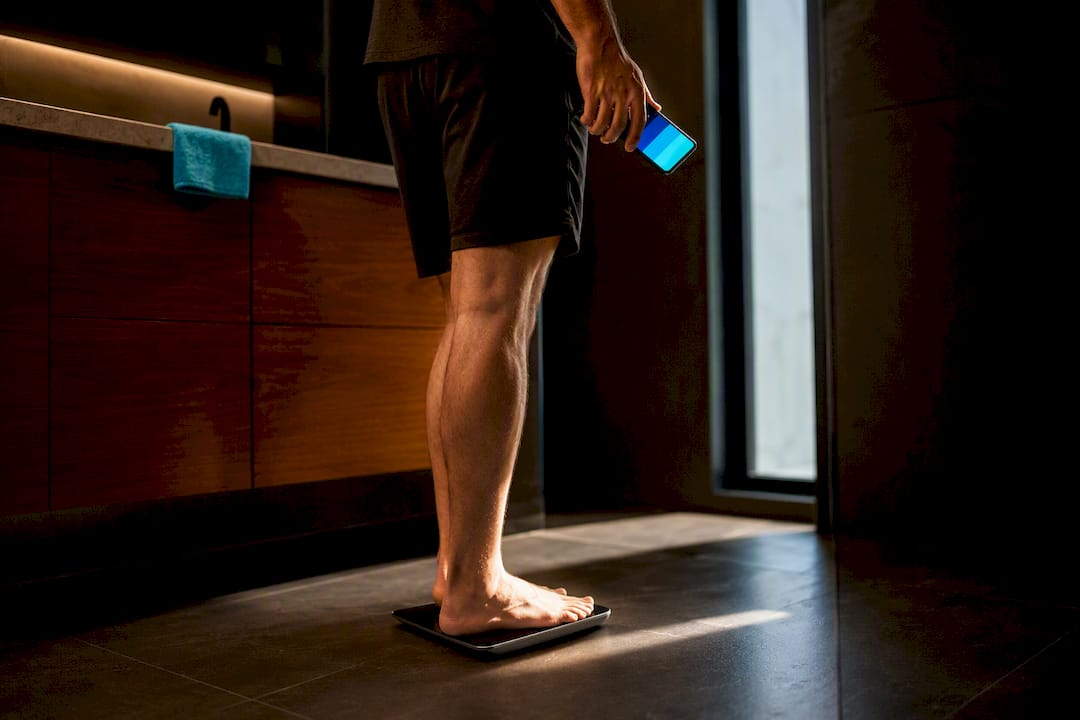
Pick a smart scale with genuine HealthKit support and automatic syncing, and it will quietly feed Apple Health every morning without a second thought. That reliability matters more than extra sensors or app polish. A direct, subscription-free option offered here follows that same principle: minimal friction, dependable sync, and clear control over what data goes where.
TL;DR:
- Compatibility with Apple Health requires specific “HealthKit” support; otherwise, you may only get weight tracking, not full body metrics.
- Wi-Fi scales offer hands-free, automatic syncing often without your phone nearby, while Bluetooth models need the app open at weighing time but are usually more affordable.
- Ensure the scale’s app clearly states HealthKit permissions are active and review recent user feedback to confirm long-term sync reliability.
- Bioelectrical impedance estimates for body composition are trend-focused tools but are influenced by hydration, exercise, and time of day, making trend analysis more reliable than single readings.
- Buying a basic scale with consistent sync quality and strong privacy policies outweighs purchasing feature-heavy models that frequently have sync issues or unclear data handling.
Table of Contents
- What to check before buying a smart scale for Apple Health
- How to connect a smart scale to Apple Health
- Why has my smart scale stopped syncing to Apple Health?
- What your smart scale numbers actually mean
- Where Voltra fits into an Apple Health routine
- What most buying guides get wrong
- Get Apple Health working the way it should, without a subscription
- Sources
- FAQ
What to check before buying a smart scale for Apple Health
Most smart scale listings mention Apple Health somewhere on the box or product page, but the wording matters. “Compatible with Apple Health” and “works with HealthKit” usually mean the same thing, though some cheaper scales only claim compatibility with their own app and treat Apple Health as an afterthought, or skip it entirely. Look for the word “HealthKit” specifically in the app store listing or the product description. If it’s absent, assume you’ll be stuck checking a second app for your weight trend.
Reviewers at Wareable note that the real value of a HealthKit-compatible scale is consolidation. You stop juggling a manufacturer’s dashboard alongside Apple Health and instead get one running record of weight, body fat and trends in the place you already check for steps and sleep.
Wi-Fi versus Bluetooth affects how “automatic” the sync actually is. A Wi-Fi scale connects to your home network directly and pushes data to the cloud, then down into Apple Health, often without your phone anywhere nearby. A Bluetooth-only scale, by contrast, typically needs its companion app open on your iPhone at the moment you step on, because the scale has no way to reach the internet on its own. Neither approach is wrong, but they suit different households. If you weigh yourself before your phone is even out of the bedroom, Wi-Fi removes that friction. If you’re the only person using the scale and don’t mind a five-second app launch, Bluetooth models are usually cheaper and just as accurate.
Not every number a smart scale reports is a direct measurement. Weight and, on scales with the right hardware, standing height are measured. Body fat percentage, muscle mass, bone mass, water percentage and metabolic age are all estimated using bioelectrical impedance analysis, a method covered in more detail further down. That doesn’t make them useless, but it does mean you should treat a single body fat reading with more scepticism than a weight reading.
Multi-user support is where things get genuinely inconsistent across brands. Most scales identify users automatically by weight and impedance pattern once you’ve set up two or three profiles, which works fine for a couple with a noticeable weight difference. It works far less reliably for a household of similar-sized adults or for parents tracking a child alongside themselves, where the app can misattribute a reading to the wrong person. Check the app’s user limit and read recent reviews specifically for multi-user complaints before buying for a shared bathroom.
A few practical signals separate a scale that “gets out of your way” from one that becomes a chore:
- The product page or app store listing explicitly names HealthKit, not just “Apple Health compatible” as a vague claim.
- The privacy policy plainly states what data is stored, for how long, and whether it’s sold or shared with third parties.
- Recent user reviews mention sync working consistently over months, not just on day one.
- The app shows a clear confirmation (a checkmark, a timestamp) when a reading has actually reached Apple Health.
- Setup doesn’t require creating an account with a cloud subscription just to unlock basic sync.
PCMag’s testing of scales for 2026 puts sync reliability and long-term consistency ahead of extra features when ranking devices, which lines up with what most iPhone users actually want: a number that shows up, every time, without babysitting the app.
Pro Tip: Before buying, search the app’s name plus “Apple Health” in the App Store reviews. Complaints about broken sync after an iOS update tend to surface there months before they show up in professional reviews.
How to connect a smart scale to Apple Health
Getting a new scale talking to Apple Health takes about five minutes if you follow the permission prompts in order. Skip a step and you’ll end up with a scale that logs weight in its own app but never reaches Apple Health at all.
- Install the manufacturer’s app first, before you even unbox the scale in some cases. Create your profile with accurate height, birth date and sex, since these feed the impedance calculations for body fat and metabolic age.
- Pair the scale, either via Bluetooth in the app’s setup flow or by connecting it to your Wi-Fi network if it’s a Wi-Fi model. Step on for a first weigh-in to confirm the connection works.
- Grant HealthKit permissions when prompted. iOS will show a list of data categories, weight, body fat percentage, BMI, lean body mass, and so on. Toggle on everything you want tracked; you can always revisit this later.
- If you missed that prompt or dismissed it accidentally, open the Health app, tap your profile icon, go to Apps, select the scale’s app from the list, and toggle on each data category manually.
- For Bluetooth-only scales, remember the app needs to be open on your iPhone at the moment you weigh in for that reading to sync. Wi-Fi scales sync in the background via the cloud, sometimes with a delay of a few minutes rather than instantly.
- Verify the reading landed correctly by opening Apple Health, going to Browse, then Body Measurements, and checking that today’s weight appears with the right value and the correct source app listed underneath it.
That last step matters more than it sounds. 9to5Mac’s coverage of a budget Eufy scale makes the point well: a cheap Bluetooth scale can log reliably to Apple Health once the companion app bridges the connection properly, even without Wi-Fi or a subscription. The hardware doesn’t need to be expensive. The app just needs to hand data off correctly and consistently.
If you’re setting up a scale for a partner or family member, check their entry in Apple Health separately. A common mistake is weighing in under the wrong stored profile in the manufacturer’s app, which then attributes your weight to someone else’s Apple Health record, sometimes silently, without any error message. Confirm the household’s second and third profiles are correctly recognised before relying on the scale day to day.
Why has my smart scale stopped syncing to Apple Health?
Sync problems almost always trace back to one of five causes, and most take under two minutes to fix once you know where to look.
- Permissions got revoked. This happens after an iOS update more often than people expect. Go to Health app → profile icon → Apps → select the scale app, and check every toggle is still switched on.
- Bluetooth pairing dropped. Forget the device in your iPhone’s Bluetooth settings, then re-pair it through the manufacturer’s app from scratch rather than trying to reconnect the old pairing.
- Wi-Fi sync is just slow, not broken. Cloud-based sync can lag by several minutes. Wait ten minutes before assuming something’s wrong, and check the app’s own status log if it has one.
- Multi-user misattribution. If a reading appears under the wrong person’s name in Apple Health, check the manufacturer’s app for the correct active profile before your next weigh-in, and manually delete the misattributed entry from Health if needed.
- Outdated firmware or app version. Manufacturers occasionally push HealthKit-related fixes. Check for app updates in the App Store and firmware updates within the scale’s own app settings.
If none of that resolves it, contact the manufacturer’s support with your iOS version, app version, and the exact date the sync stopped. That detail alone usually cuts a support ticket from days to hours, according to the setup guidance Wareable outlines for troubleshooting Apple Health connections.
What your smart scale numbers actually mean
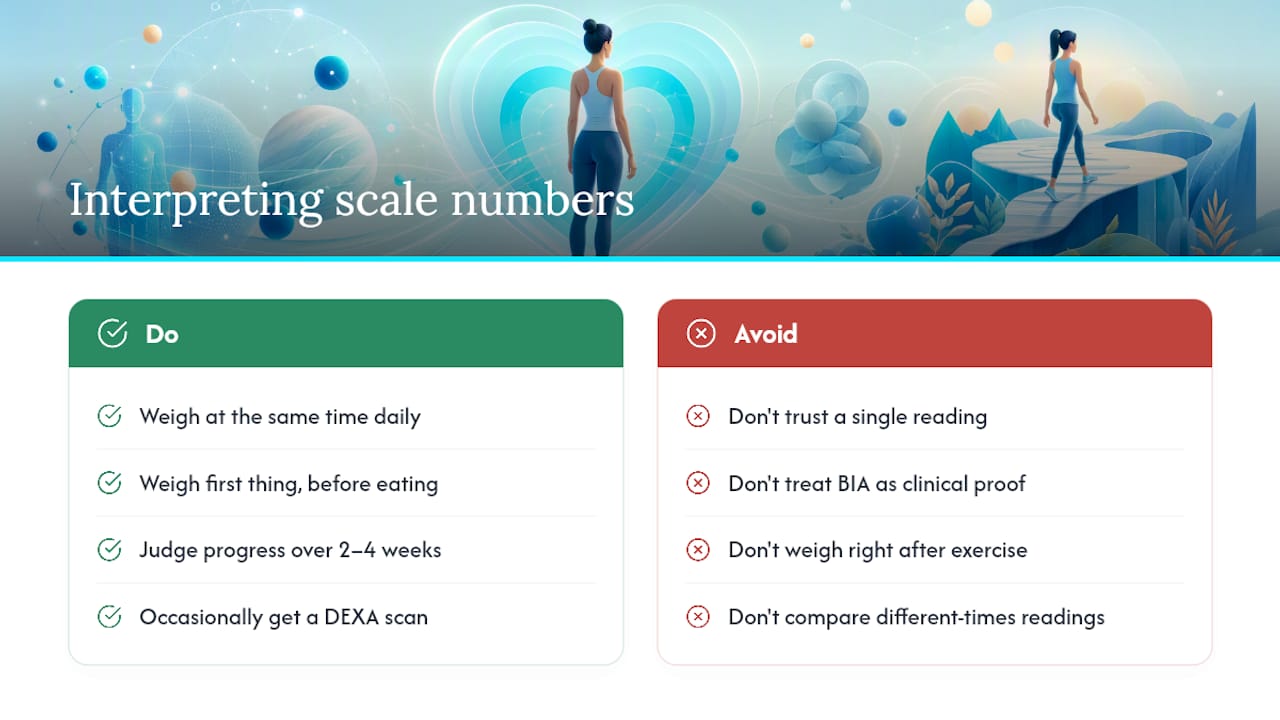
Weight is the one figure your scale measures directly. Everything else, body fat, muscle mass, water percentage, bone density, metabolic age, comes from bioelectrical impedance analysis, a technique that sends a faint electrical current through your feet and calculates composition from how much resistance it meets.
BIA is genuinely useful for spotting trends, but it’s sensitive to things that have nothing to do with real fat loss or gain. Hydration levels, how recently you exercised, what you last ate, even the time of day, can shift a body fat reading by several percentage points without your body composition actually changing. Peer-reviewed research on BIA methods confirms it’s a reasonable tool for tracking change over weeks and months, but not a reliable single-point diagnostic.
The most useful habit with any smart scale is weighing at a consistent time, ideally first thing in the morning before eating or drinking, and judging progress by the trend line over two to four weeks rather than any single day’s number.
For anyone who wants a precise, clinical-grade body composition figure rather than a home estimate, a DEXA scan remains the reference standard used in research and sports medicine. It’s worth booking occasionally to calibrate your expectations, but it’s not something you need monthly, and it doesn’t replace the day-to-day value of a scale that syncs automatically to Apple Health.
Where Voltra fits into an Apple Health routine
Voltra’s approach starts from the same premise this article has argued throughout: the best smart scale is the one that disappears into your routine rather than demanding attention. Some devices track sleep quality, heart health, daily activity, recovery, body composition and menstrual cycle impact, and provide access without a subscription fee between you and your own data.
That matters because most competing ecosystems charge monthly just to unlock full metric history or advanced insights. This model provides free lifetime access to the companion app, with many users reporting improved sleep quality within the first several weeks.
Real-time data on how your body responds to stress, workouts and menstrual cycles is only genuinely useful if you’re not paying a recurring fee to keep seeing it.
Pairing a body composition device with a wearable gives Apple Health more to work with. A few things worth doing once both are connected:
- Let both devices write to the same Apple Health categories so trends appear together, rather than checking two separate apps.
- Cross-reference recovery data from a wearable against morning weight and body fat trends to spot patterns, like poor sleep coinciding with water retention.
- Review weekly summaries in Apple Health rather than daily spot-checks, since combined data smooths out the noise BIA readings are prone to.
Pro Tip: Weigh in and check your wearable’s recovery score at the same time each morning. Seeing both numbers together in Apple Health makes it far easier to spot whether a weight change is genuine or just a bad night’s sleep talking.
What most buying guides get wrong
Most smart scale reviews rank devices on feature count: more metrics, fancier apps, sleeker displays. That’s the wrong axis for an iPhone user whose actual goal is a clean, reliable Apple Health record. A scale with twelve tracked metrics that syncs inconsistently is worse than a basic one that syncs every single time.
The conventional advice also underplays privacy. Every one of these scales estimates something intimate about your body and routes it through a third-party app before it reaches Apple Health. Few buying guides ask what that app’s privacy policy actually says, or whether your data gets sold on. That question deserves as much weight as accuracy specs.
If there’s one thing to prioritise first, it’s this: choose the scale whose app treats HealthKit permissions as a first-class feature, not an afterthought bolted on for an App Store checkbox. Everything else, extra sensors, smart coaching, fancier graphs, is secondary to that one behaviour working every single day.
— Sam
Get Apple Health working the way it should, without a subscription
Most smart scales on the market ask you to trade convenience for a monthly fee somewhere down the line, whether that’s advanced trend graphs, extended history, or “premium” coaching features locked behind a paywall. This offering skips that entirely. You buy the device once, and the app, along with your full history of sleep, heart health, activity, recovery and body composition data, stays free for as long as you use it.
That matters most for the exact reader this guide has been written for: someone who wants Apple Health, not five separate apps, to be the single place their body’s data lives. These devices are built to hand data over cleanly, so weight, body composition and daily activity can sit alongside sleep and heart data in one dashboard, not scattered across accounts you have to remember to check.
If you’re ready to set one up, the Voltra tracker is the standalone option, while the Voltra bundle covers a household wanting matching devices. Check current availability and pick the option that matches how many people in your home will actually be using it.
Sources
Setup and compatibility guidance drew on reporting from Wareable, 9to5Mac, and OSXDaily, alongside peer-reviewed BIA research for accuracy limits.
- Best smart scales for Apple Health (2026): Top picks
- Peer-reviewed discussion of BIA methods and limitations
FAQ
How do I sync a smart scale to Apple Health?
Install the scale’s companion app, create a profile, and grant HealthKit permissions when prompted. If sync doesn’t happen automatically, open Apple Health, go to your profile, tap Apps, select the scale’s app, and toggle the data categories on manually.
Does Apple make its own smart scale?
No. Apple has never sold an official smart scale; it provides the HealthKit framework that lets third-party scales, including Voltra’s, share biometric data with the Apple Health app.
Are there Apple-branded smart scales available to buy?
There are none. Every smart scale that syncs with Apple Health, from budget Bluetooth models to premium Wi-Fi devices, comes from a third-party manufacturer rather than Apple itself.
Can I use my iPhone as a weighing scale?
No, an iPhone has no hardware capable of measuring weight and can only display or store readings sent from an external smart scale. You need a physical scale, whether Bluetooth or Wi-Fi based, to get weight data into Apple Health at all.
Is body fat percentage from a smart scale accurate?
It’s a reasonable estimate for tracking trends over weeks, but bioelectrical impedance readings shift with hydration, exercise and timing, so treat single-day figures cautiously and rely on the trend line instead.
Share:
Evidence First Cycle Syncing Workouts for UK Women: Track 2–3 Cycles
Lower Metabolic Age in 2–3 Months: UK Plan, Lift, Eat Protein, Track Free